

The Importance of Self-Custody
True self-custody means maintaining direct access through tools of one’s choice. For institutions, this is critical for operational resilience, compliance, and integrating DeFi strategies into existing multisig governance workflows. It ensures the automated Agent is a managed tool, not a custodian.Is this tutorial relevant for you?
Zyfai agents are intelligent DeFi agents designed to find the best yields for you. However, there may be times when you want to perform specific actions, such as:- Claiming your rewards earlier than the agents normally do
- Interacting directly with a specific underlying protocol
- Sending dust tokens held in your Zyfai account
Step-by-Step Tutorial
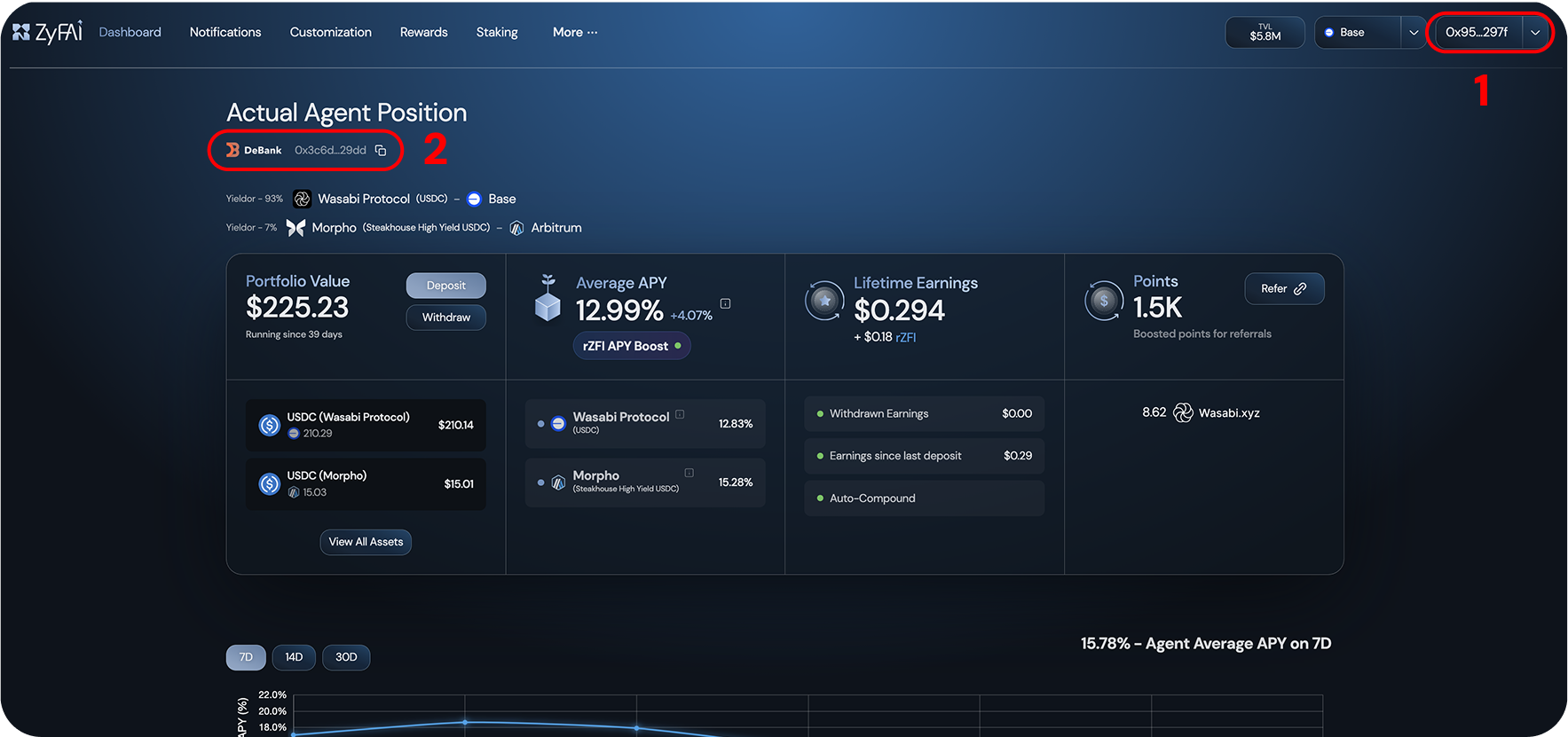
Locate Your Addresses
- Your EOA (Externally Owned Account) address
- Your Safe wallet address
Connect to Safe
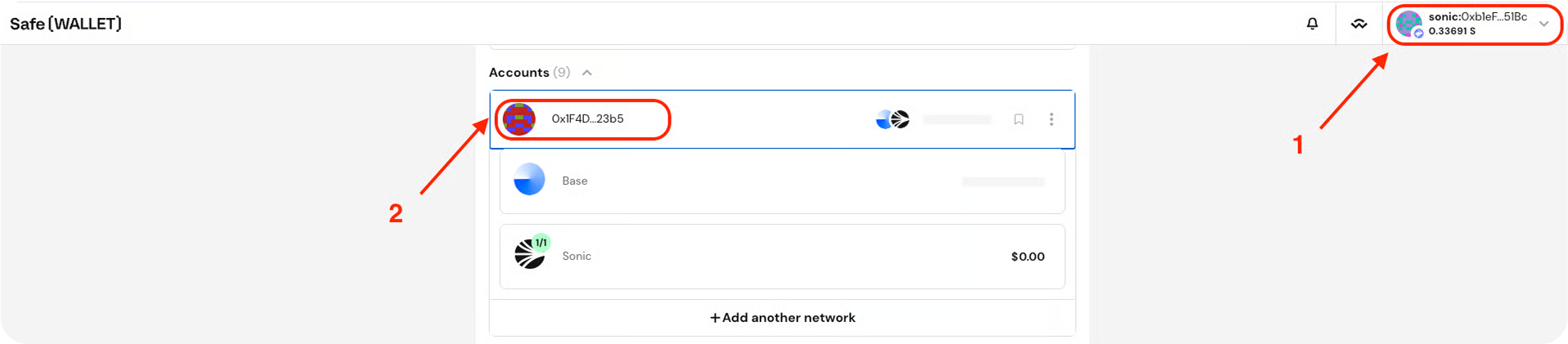
- Go to https://app.safe.global/welcome/accounts
- Connect the wallet you used (your EOA)
- Locate your Safe wallet
- EOA:
0xb1...51Bc(#1) - Safe:
0x1F4D...23b5(#2)
Alert Messages
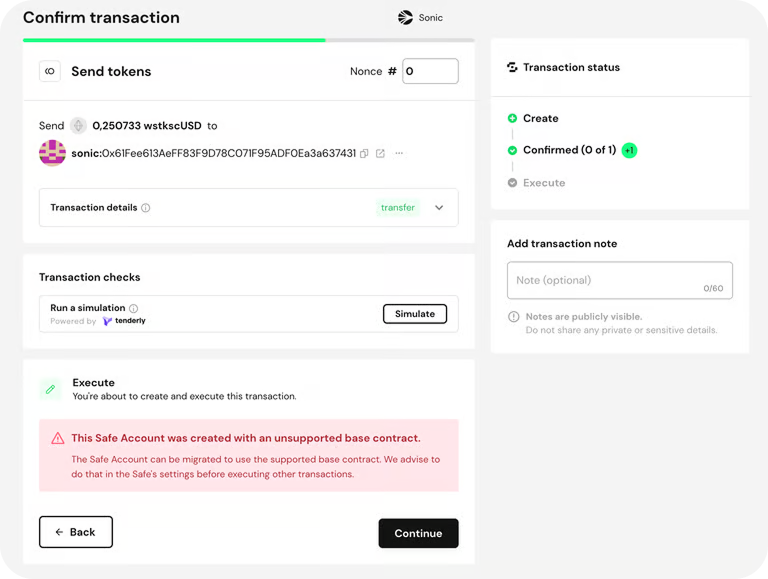
If you see red warnings in the Safe UI about a contract upgrade, don’t worry. You can safely ignore them. They simply indicate that you’re using an older version of the Safe contract. Upgrading or not does not affect your Zyfai Agent’s performance or functionality.Use Cases
Now that you know how to connect your Zyfai wallet through Safe, let’s look at some common use cases:Send Dust tokens
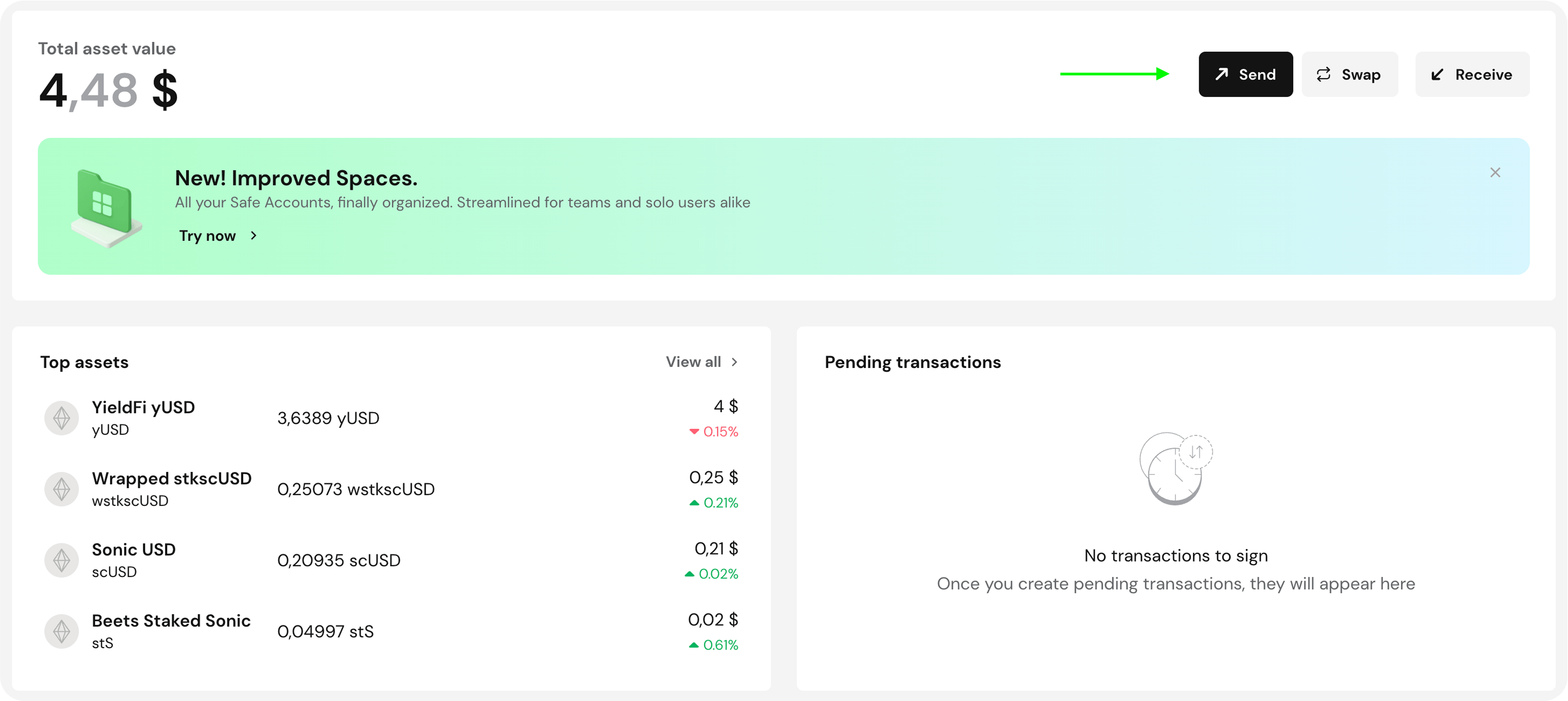
If you want to send tokens from your Zyfai account to another address (like your EOA), follow these steps:- Click the Send button.
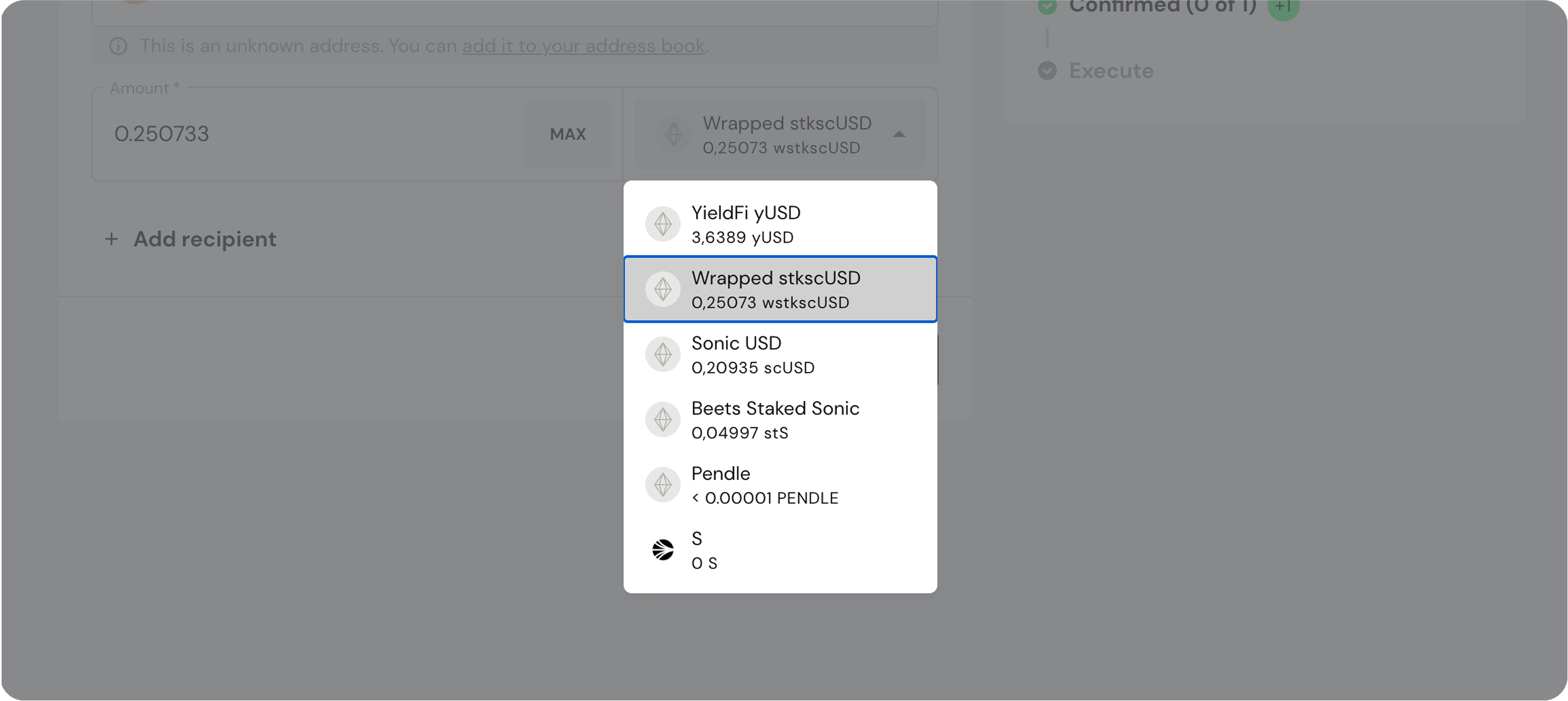
- Choose the token you want to send.
- Enter the destination address (your EOA or another)
- Execute the transaction!
- Important: Make sure your EOA has enough gas tokens to execute the transaction.
Interact with a Specific Protocol
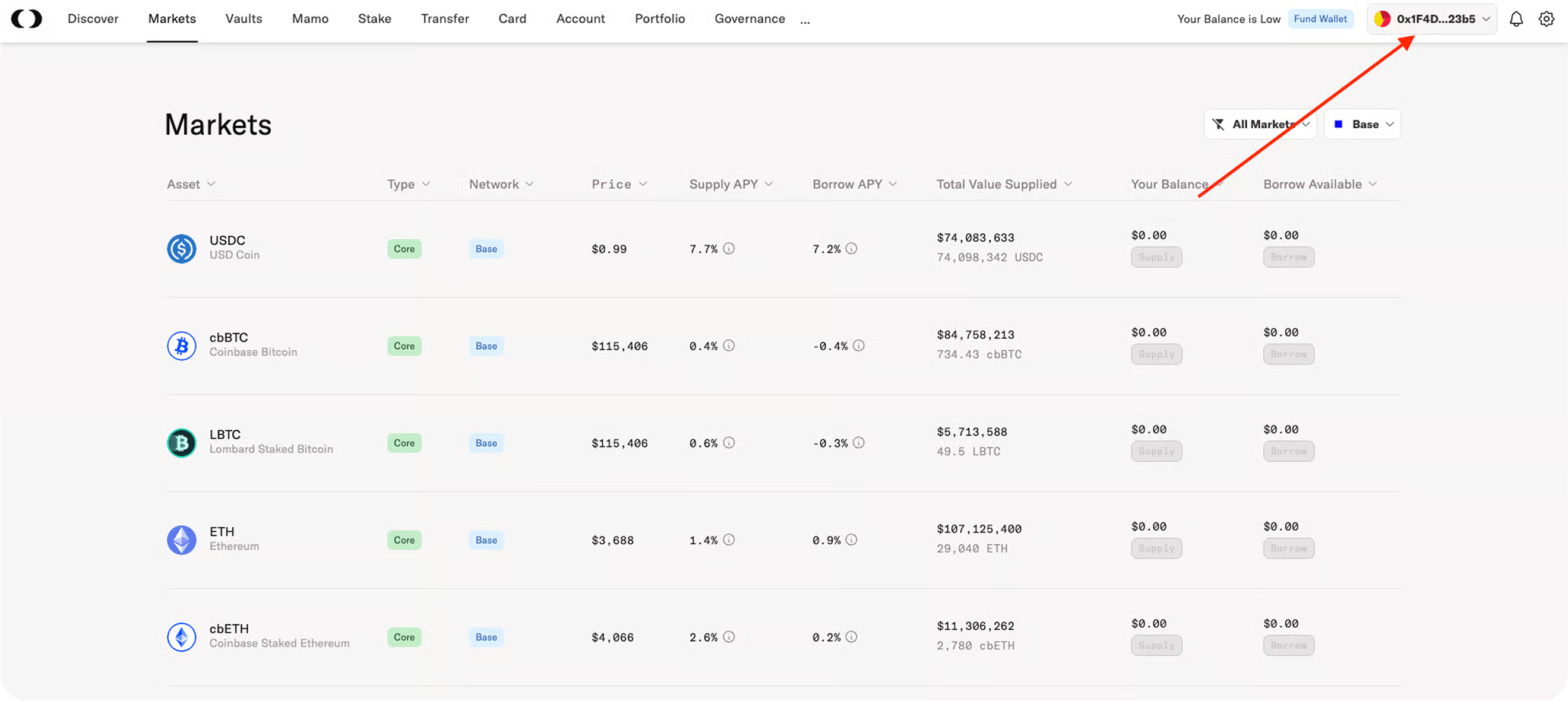
- Choose a protocol (e.g. Morpho)
- Select the option to Connect with WalletConnect
- Copy the WalletConnect link provided by the platform

- Go back to the Safe interface
- Click the WalletConnect logo
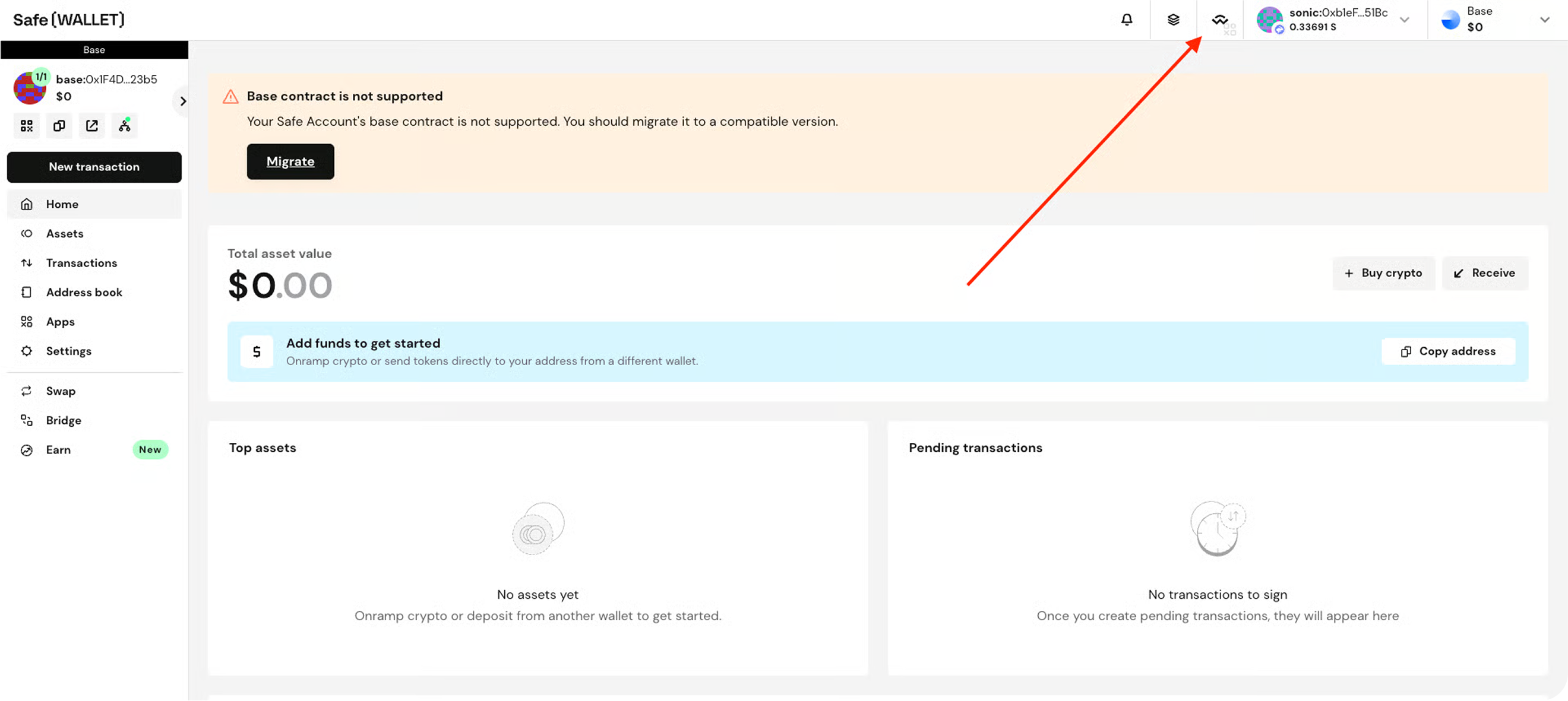
- Paste the link from the app on Safe
 That’s it! You’re now connected to the protocol using your Safe/Zyfai wallet.
If you need help, feel free to ask in the Zyfai community chat!